Autonomous AI Agents: Building Self-Running Task Automation That Actually Works
An AI agent is a program that uses an LLM to decide what to do next, executes actions, observes results, and repeats — autonomously, without human input at each step. When built well, agents can handle multi-step tasks that would be tedious to script manually: researching a topic and writing a report, monitoring a system and filing tickets when anomalies are detected, or managing a workflow that involves reading files, calling APIs, and updating databases.
When built poorly, they loop, hallucinate tool calls, and fail silently.
This tutorial is about building them well. We cover the ReAct reasoning pattern, reliable tool use, error recovery, and the production patterns that distinguish a deployed agent from a notebook demo.
The ReAct Pattern
ReAct (Reason + Act) is the most reliable general-purpose agent architecture. The agent alternates between two types of steps:
- Thought: the model reasons about the current state and what to do next
- Action: the model calls a tool or produces a final answer
Task: "Find the top 3 Python packages for data validation, compare their weekly downloads, and write a brief summary"

Thought: I need to find popular Python data validation packages first.
Action: web_search("Python data validation packages 2026 popular")

Observation: [search results showing pydantic, cerberus, marshmallow...]

Thought: Found several packages. Now I need download statistics.
Action: get_pypi_stats("pydantic")

Observation: {"package": "pydantic", "weekly_downloads": 48200000}

Thought: Got pydantic stats. Let me check the others.
Action: get_pypi_stats("marshmallow")

Observation: {"package": "marshmallow", "weekly_downloads": 4100000}

Thought: I have the data. Pydantic dominates at 48M/week vs marshmallow 4.1M.
Final Answer: [summary paragraph]
This explicit thought-action-observation loop keeps the model grounded. Each action produces a real observation that becomes the next input.
Building the Agent Framework
Tool Definition
Tools are functions the agent can call. Define them with clear descriptions — these become the LLM's API documentation:
# agent/tools.py
import subprocess
import json
import requests
from typing import Any

class Tool:
    def __init__(self, name: str, description: str, func, parameters: dict):
        self.name = name
        self.description = description
        self.func = func
        self.parameters = parameters

    def run(self, **kwargs) -> str:
        try:
            result = self.func(**kwargs)
            if isinstance(result, (dict, list)):
                return json.dumps(result, indent=2)
            return str(result)
        except Exception as e:
            return f"ERROR: {type(e).__name__}: {e}"

    def to_claude_format(self) -> dict:
        return {
            "name": self.name,
            "description": self.description,
            "input_schema": {
                "type": "object",
                "properties": self.parameters,
                "required": list(self.parameters.keys())
            }
        }


def _read_file(path: str) -> str:
    with open(path, "r", encoding="utf-8", errors="replace") as f:
        return f.read()[:8000]

def _write_file(path: str, content: str) -> str:
    with open(path, "w", encoding="utf-8") as f:
        f.write(content)
    return f"Written {len(content)} bytes to {path}"

def _http_get(url: str) -> str:
    resp = requests.get(url, timeout=15)
    return f"Status: {resp.status_code}\n{resp.text[:4000]}"

def _run_script(script_path: str, args: list) -> str:
    """Run a pre-approved script by path (not arbitrary shell commands)."""
    result = subprocess.run(
        ["python3", script_path] + args,
        capture_output=True, text=True, timeout=30
    )
    return (result.stdout + result.stderr)[:4000]


STANDARD_TOOLS = [
    Tool(
        name="read_file",
        description="Read the contents of a file.",
        func=_read_file,
        parameters={
            "path": {"type": "string", "description": "File path to read"}
        }
    ),
    Tool(
        name="write_file",
        description="Write content to a file, overwriting if it exists.",
        func=_write_file,
        parameters={
            "path": {"type": "string", "description": "File path to write"},
            "content": {"type": "string", "description": "Content to write"}
        }
    ),
    Tool(
        name="http_get",
        description="Make an HTTP GET request and return the response.",
        func=_http_get,
        parameters={
            "url": {"type": "string", "description": "URL to fetch"}
        }
    ),
]
The Agent Loop
# agent/agent.py
import anthropic
from .tools import Tool, STANDARD_TOOLS

class Agent:
    def __init__(
        self,
        tools: list[Tool] = None,
        system: str = None,
        model: str = "claude-sonnet-4-6",
        max_steps: int = 25,
        verbose: bool = True
    ):
        self.client = anthropic.Anthropic()
        self.tools = tools or STANDARD_TOOLS
        self.model = model
        self.max_steps = max_steps
        self.verbose = verbose
        self.tool_map = {t.name: t for t in self.tools}

        self.system = system or """You are an autonomous agent that completes tasks by using tools.

Think step by step. Before using a tool, briefly state what you're doing and why.
After each tool result, consider whether you have enough information or need another action.
When complete, provide a clear final answer.

Be efficient — don't repeat tool calls that already gave you the needed information.
If a tool returns an error, try a different approach or report the limitation."""

    def run(self, task: str) -> str:
        messages = [{"role": "user", "content": task}]
        tool_defs = [t.to_claude_format() for t in self.tools]

        for step in range(self.max_steps):
            response = self.client.messages.create(
                model=self.model,
                max_tokens=4096,
                system=self.system,
                tools=tool_defs,
                messages=messages
            )

            if self.verbose:
                for block in response.content:
                    if hasattr(block, "text") and block.text.strip():
                        print(f"\n[Step {step+1}] {block.text.strip()}")

            # Collect content blocks
            assistant_content = list(response.content)
            tool_calls = [b for b in response.content if b.type == "tool_use"]

            messages.append({"role": "assistant", "content": assistant_content})

            # No tool calls = agent finished
            if not tool_calls:
                for block in response.content:
                    if hasattr(block, "text"):
                        return block.text
                return "(Agent completed without text response)"

            # Execute tools
            tool_results = []
            for call in tool_calls:
                tool = self.tool_map.get(call.name)
                if not tool:
                    result = f"ERROR: Unknown tool '{call.name}'"
                else:
                    if self.verbose:
                        args_preview = str(call.input)[:80]
                        print(f"  → {call.name}({args_preview})")
                    result = tool.run(**call.input)
                    if self.verbose:
                        print(f"  ← {result[:200].replace(chr(10), ' ')}")

                tool_results.append({
                    "type": "tool_result",
                    "tool_use_id": call.id,
                    "content": result
                })

            messages.append({"role": "user", "content": tool_results})

        return f"Agent reached max_steps ({self.max_steps}) without completing."
Basic Usage
from agent import Agent

agent = Agent(verbose=True)

result = agent.run("""
Read the file 'requirements.txt', then fetch the PyPI page for each package
listed to check if a newer version exists. Write a summary of outdated
packages to 'upgrade-report.md'.
""")

print("\n=== RESULT ===")
print(result)
Real-World Task Examples
Automated Dependency Audit
audit_agent = Agent(verbose=True)

result = audit_agent.run("""
Audit the Python dependencies in requirements.txt:
1. List all packages with their pinned versions
2. For each package, fetch https://pypi.org/pypi/<package>/json to check latest version
3. Identify packages more than one major version behind
4. Write findings and upgrade commands to dependency-audit.md
""")
Repository Health Check
from agent.tools import Tool
import subprocess

def git_log(args: str) -> str:
    parts = ["git", "log"] + args.split()
    result = subprocess.run(parts, capture_output=True, text=True, timeout=15)
    return result.stdout[:4000]

git_tool = Tool(
    name="git_log",
    description="Run git log with the given arguments. Returns commit history.",
    func=git_log,
    parameters={"args": {"type": "string", "description": "Arguments for git log"}}
)

health_agent = Agent(tools=STANDARD_TOOLS + [git_tool])
result = health_agent.run("""
Analyze this Git repository:
1. Count commits in the last 30 days per author (use git log --since='30 days ago')
2. Find the 10 most recently modified Python files
3. Check for TODO/FIXME comments by reading key source files
4. Write all findings to repo-health.md
""")
Automated Incident Response
from datetime import datetime

oncall_agent = Agent(
    system="""You are an on-call engineer investigating a production incident.
Diagnose the issue, collect relevant evidence, and produce an incident report.
Be thorough. Preserve evidence before drawing conclusions.""",
    verbose=True
)

result = oncall_agent.run(f"""
Users reporting 503 errors on /api/search since 14:32 UTC.
Current time: {datetime.utcnow().isoformat()}Z

Please:
1. Read recent log files in /var/log/app/ looking for errors
2. Check disk and memory usage by reading /proc/meminfo and running df
3. Look for patterns in the last 100 error log lines
4. Create an incident report at /tmp/incident-{datetime.utcnow().strftime('%Y%m%d-%H%M')}.md
""")
Production Patterns
1. Structured Final Answers
Force the agent to produce structured output for downstream processing:
from pydantic import BaseModel
from typing import Literal
import json

class TaskResult(BaseModel):
    status: Literal["success", "partial", "failed"]
    summary: str
    artifacts: list[str]       # files created/modified
    next_steps: list[str]

def run_with_structured_output(agent: Agent, task: str) -> TaskResult:
    schema_json = json.dumps(TaskResult.model_json_schema(), indent=2)

    enhanced_task = f"""{task}

When complete, output your final answer as JSON matching this schema:
{schema_json}

End your response with only the JSON object."""

    raw = agent.run(enhanced_task)

    # Extract JSON from response
    if "{" in raw:
        start = raw.rfind("{")
        end = raw.rfind("}") + 1
        raw = raw[start:end]

    return TaskResult(**json.loads(raw))
2. Budget Control
Track token usage and stop before exceeding cost limits:
from dataclasses import dataclass

@dataclass
class AgentBudget:
    max_cost_usd: float = 1.0
    total_input_tokens: int = 0
    total_output_tokens: int = 0

    # Claude Sonnet 4.6 pricing (per million tokens)
    INPUT_PRICE_PER_M = 3.0
    OUTPUT_PRICE_PER_M = 15.0

    @property
    def current_cost(self) -> float:
        return (
            self.total_input_tokens / 1_000_000 * self.INPUT_PRICE_PER_M +
            self.total_output_tokens / 1_000_000 * self.OUTPUT_PRICE_PER_M
        )

    @property
    def budget_exceeded(self) -> bool:
        return self.current_cost >= self.max_cost_usd

    def record(self, input_tokens: int, output_tokens: int):
        self.total_input_tokens += input_tokens
        self.total_output_tokens += output_tokens
Integrate budget.record(response.usage.input_tokens, response.usage.output_tokens) and check budget.budget_exceeded at the start of each loop iteration.
3. Detecting and Breaking Loops
from collections import deque

class LoopDetector:
    def __init__(self, window: int = 5):
        self.window = window
        self.recent_calls = deque(maxlen=window)

    def record(self, tool_name: str, args: dict):
        key = (tool_name, json.dumps(args, sort_keys=True))
        self.recent_calls.append(key)

    @property
    def is_looping(self) -> bool:
        if len(self.recent_calls) < self.window:
            return False
        # All recent calls are identical
        return len(set(self.recent_calls)) == 1
Add to the agent loop: if loop_detector.is_looping, inject a message telling the model it's repeating itself and to try a different approach.
4. Sandboxed Code Execution
For agents that run generated code, use Docker for isolation:
import subprocess

def run_python_sandboxed(code: str) -> str:
    """Execute Python in an isolated container with no network access."""
    result = subprocess.run(
        [
            "docker", "run", "--rm",
            "--network=none",
            "--memory=256m",
            "--cpus=0.5",
            "python:3.13-slim",
            "python3", "-c", code
        ],
        capture_output=True, text=True, timeout=30
    )
    return (result.stdout + result.stderr)[:4000]

sandbox_tool = Tool(
    name="run_python",
    description="Execute Python code in a sandboxed environment. No network access. Safe for data processing and calculations.",
    func=lambda code: run_python_sandboxed(code),
    parameters={
        "code": {"type": "string", "description": "Python code to execute"}
    }
)
Multi-Agent Workflows
For complex tasks, decompose into specialist agents:
class Orchestrator:
    def __init__(self):
        self.researcher = Agent(
            system="You are a research agent. Find information, return structured findings.",
            tools=[http_get_tool, read_file_tool]
        )
        self.writer = Agent(
            system="You are a technical writer. Transform research into clear documentation.",
            tools=[read_file_tool, write_file_tool]
        )
        self.reviewer = Agent(
            system="You are a critical reviewer. Find gaps, errors, and improvements.",
            tools=[read_file_tool]
        )

    def research_and_write(self, topic: str, output_file: str) -> str:
        # Stage 1: Research
        research = self.researcher.run(
            f"Research '{topic}'. Find key facts, examples, technical details."
        )

        # Stage 2: Write
        self.writer.run(
            f"Write a technical article about '{topic}' using this research:\n\n{research}\n\nSave to {output_file}"
        )

        # Stage 3: Review and revise
        feedback = self.reviewer.run(f"Review {output_file}. List specific improvements needed.")

        return self.writer.run(
            f"Revise {output_file} based on this feedback:\n\n{feedback}"
        )
What Makes Agents Fail
Understanding failure modes is essential for reliability:
Hallucinated tool arguments — the model invents arguments that don't match the schema. Fix: validate inputs before calling the tool function; return descriptive error messages that help the model self-correct.
Infinite loops — calling the same tool repeatedly without progress. Fix: use LoopDetector; enforce hard max_steps.
Context window overflow — conversation history grows until the model can't reason effectively. Fix: summarize and truncate old tool results after N steps. Keep only the last 2-3 observations per tool per session.
Brittle tool outputs — tools returning raw HTML or unstructured text confuse the model. Fix: tool functions should return clean structured data. JSON > plain text > raw HTML.
Silent failures — tools catching exceptions and returning empty strings leave the model with nothing to act on. Fix: always return an error message describing what failed and why.
Connecting from Restricted Regions
Anthropic and OpenAI APIs are geo-restricted in many regions. If you're running agents from a restricted location, FastSox Smart Mode routes AI API traffic automatically through your chosen gateway. Your agent code requires zero changes — routing happens at the network level, so all local file and system operations continue direct.
What's Next
- Add memory: store summaries of past task runs in a vector database; surface relevant context at the start of new tasks so the agent doesn't repeat work
- Build a task queue: accept tasks via HTTP API, process asynchronously, expose status endpoints
- Human-in-the-loop checkpoints: pause execution and request confirmation before irreversible actions (deleting files, sending emails, making purchases)
- Multi-modal tools: extend agents to read screenshots, diagrams, and PDFs alongside text inputs
Related Articles
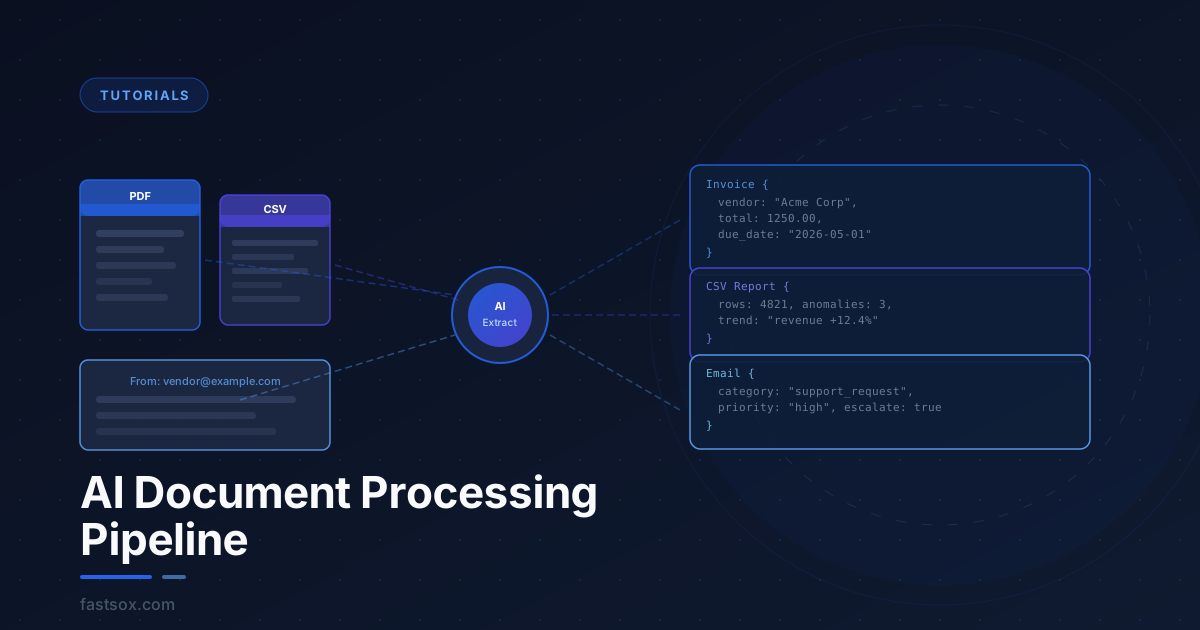
Build an AI Document Processing Pipeline: PDFs, CSVs, and Emails at Scale
Learn how to build a production-grade document processing pipeline using LLMs. Extract structured data from PDFs, classify and summarize emails, analyze CSVs with natural language — all automated, all running unattended.
Automate Your Dev Workflow with LLM Agents: Commits, PRs, and Code Review
Stop writing commit messages and PR descriptions by hand. Learn how to build LLM agents that automate the repetitive parts of your development workflow — from git diffs to actionable code review — using the Claude and OpenAI APIs.