What is a VPN? A Complete Guide
A Virtual Private Network (VPN) is one of the most important tools in your digital security toolkit — and one of the most misunderstood. In this guide, we'll cut through the marketing noise and explain exactly what a VPN is, how it works at a technical level, and what to look for when choosing one in 2026.
The Simple Analogy: Your Own Private Road
Imagine the internet as a vast public highway. Every car (your data packets) on that highway is visible to other drivers, traffic cameras, and highway operators. Anyone with the right tools can see where you're going, what you're carrying, and who you are.
A VPN builds you a private, encrypted tunnel beneath that highway. Your data still travels from point A to point B, but it's invisible to everyone except you and the VPN server at the other end. Even your Internet Service Provider (ISP) only sees that you're connected to a VPN — they can't see what you're doing inside the tunnel.
The 3 Core Functions of a VPN
1. Encryption
Every byte of data leaving your device is encrypted before it hits the network. Modern VPNs use AEAD (Authenticated Encryption with Associated Data) ciphers — typically ChaCha20-Poly1305 or AES-256-GCM — to ensure that even if someone intercepts your traffic, they see only meaningless ciphertext.
2. IP Masking
When you connect through a VPN, websites and services see the VPN server's IP address, not yours. This serves two purposes: it hides your real location, and it allows you to appear to be browsing from a different country — critical for accessing geo-restricted services.
3. Secure Tunneling
The VPN creates a logical tunnel through the internet using a tunneling protocol. This protocol handles how data is encapsulated, transmitted, and decapsulated at both ends. The choice of protocol dramatically affects speed, security, and resistance to detection.
How VPNs Work Technically
Here's what happens when you connect through a VPN:
-
Key Exchange: Your VPN client and the VPN server perform a cryptographic handshake to establish shared session keys. Modern protocols use elliptic curve Diffie-Hellman (ECDH) to ensure perfect forward secrecy — past sessions can't be decrypted even if keys are later compromised.
-
Tunnel Establishment: A virtual network interface (e.g.,
tun0on Linux, or a WireGuard interface) is created on your device. All traffic destined for the VPN is routed through this interface. -
Encapsulation: Your data packets are wrapped inside the VPN protocol's packet format, encrypted, and sent to the VPN server over the real internet.
-
Server-Side Decryption: The VPN server unwraps the packets, decrypts them, and forwards the original requests to their destinations on your behalf.
-
Return Path: Responses come back to the VPN server, get encrypted, and are tunneled back to your device.
The result: your ISP, your network operator, and anyone monitoring the wire between you and the VPN server sees only encrypted noise addressed to the VPN server.
VPN Protocol Comparison
Not all VPN protocols are created equal. Here's how the major options stack up in 2026:
| Protocol | Speed | Security | Obfuscation | Open Source | Best For | |----------|-------|----------|-------------|-------------|----------| | WireGuard | Excellent | Very High | None | Yes | Speed-critical use cases | | OpenVPN | Moderate | High | Partial | Yes | Legacy compatibility | | IKEv2/IPsec | Good | High | None | Partial | Mobile (fast reconnect) | | HyperSox | Excellent | Very High | Full (REALITY + uTLS) | No | DPI-heavy environments |
WireGuard has become the gold standard for raw performance, thanks to its minimal codebase (under 4,000 lines) and use of modern cryptographic primitives. See our deep dive: How WireGuard Works.
HyperSox is FastSox's next-generation protocol, built in Rust. It extends WireGuard's cryptographic foundations with full traffic obfuscation — critical in regions with deep packet inspection. See What is HyperSox Protocol for the full technical breakdown.
Common VPN Use Cases in 2026
Public Wi-Fi Protection
Coffee shops, airports, hotels — every public Wi-Fi network is a potential attack surface. A VPN encrypts your traffic before it even leaves your device, making man-in-the-middle attacks useless. See Why Securing Your Connection Matters for a detailed breakdown of the real threats.
Accessing AI Services
ChatGPT, Claude, Gemini, and Midjourney are unavailable or throttled in many countries. A VPN with low latency and smart routing can give you seamless access without degrading performance. More on this in our AI services guide.
Privacy from Your ISP
Without a VPN, your ISP can see every DNS query you make — essentially your full browsing history. In many jurisdictions, ISPs are legally permitted to sell this data. A VPN shifts your DNS resolution to the VPN provider, keeping your browsing history private.
Bypassing Geo-Restrictions
Streaming services, news sites, and productivity tools often restrict access based on your IP's geographic location. A VPN lets you appear to browse from a country where those services are available.
Remote Work Security
Enterprises use VPNs to allow employees to access internal resources securely. Modern solutions like FastSox extend this with fine-grained access controls and device authentication.
What to Look for in a VPN
With hundreds of VPN providers on the market, here are the criteria that actually matter:
No-Logs Policy — and How to Verify It
A VPN provider claiming "no logs" is meaningless without verification. Look for:
- Independent audits: Has a reputable security firm audited their infrastructure?
- Jurisdiction: Providers in privacy-friendly jurisdictions (Switzerland, British Virgin Islands) face fewer legal demands to hand over data.
- Technical architecture: Diskless/RAM-only servers cannot retain logs even if compelled.
Protocol Quality
The security of a VPN is only as good as its protocol implementation. Open-source protocols (WireGuard, OpenVPN) allow public scrutiny. Proprietary protocols like HyperSox should publish technical specifications and cryptographic choices publicly — which FastSox does.
Server Locations
More locations give you more flexibility, but raw count is less important than latency to the servers you actually use. A provider with 10 well-placed, high-performance servers beats one with 3,000 overloaded nodes.
Performance Under Real Conditions
Benchmark throughput matters less than consistent latency. For AI tools, video calls, and real-time applications, jitter and packet loss hurt more than raw bandwidth.
Kill Switch and DNS Leak Protection
A kill switch blocks all internet traffic if the VPN drops, preventing accidental exposure. DNS leak protection ensures your DNS queries go through the VPN, not your ISP's resolver.
Why FastSox?
FastSox is built on top of WireGuard's cryptographic stack with the HyperSox protocol layer providing traffic obfuscation that gets through deep packet inspection systems that block conventional VPNs.
Key differentiators:
- HyperSox protocol: REALITY TLS obfuscation + uTLS browser fingerprint spoofing — your traffic looks like HTTPS traffic to any real website
- Smart Mode: Only routes traffic that needs it through the VPN, preserving full local network speed
- Rust implementation: 6.41 MB binary, 2.47 ms startup, 5.35 MB idle memory
- Zero-log architecture: No session logs, no connection metadata
Learn more about the technical details of what makes HyperSox different: What is HyperSox Protocol.
Ready to get started? Create a free FastSox account and connect in under 5 minutes.
Summary
A VPN creates an encrypted tunnel for your internet traffic, masking your IP and protecting your data from surveillance, interception, and geo-restrictions. The quality of protection depends heavily on the protocol: WireGuard offers excellent speed and security; HyperSox adds the obfuscation layer needed to reliably bypass deep packet inspection.
Whether you're on public Wi-Fi, trying to access AI tools, or simply want to keep your browsing private, an encrypted connection is no longer optional in 2026 — the threats are too real, and the solutions are too accessible. See Why Securing Your Connection Matters for the full picture.
Related Articles
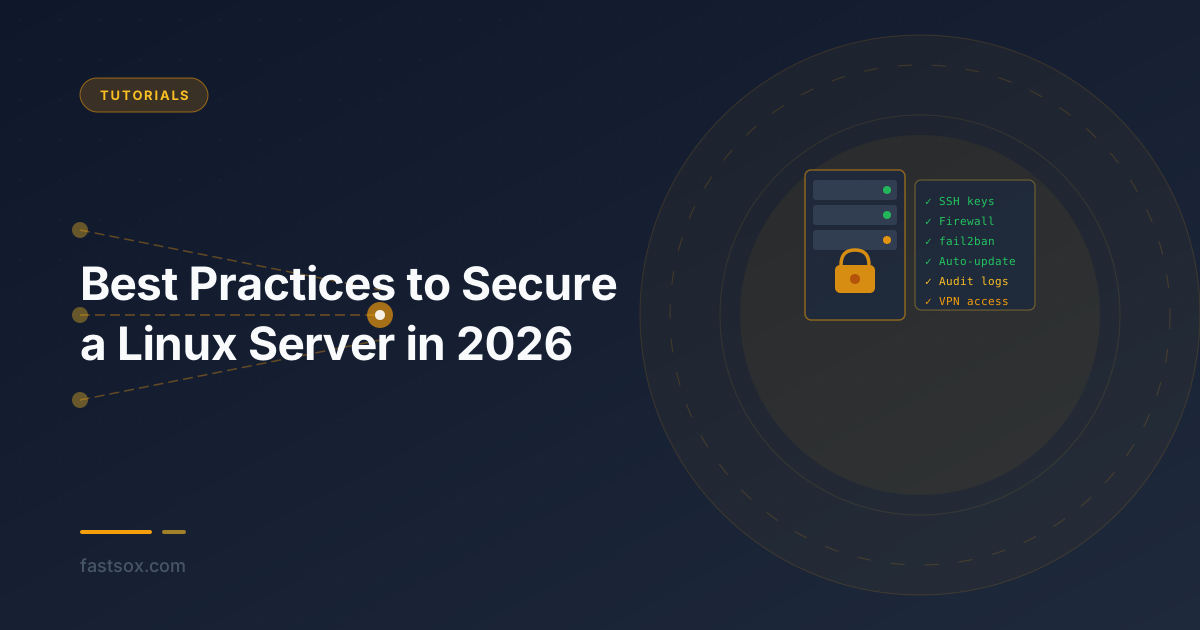
Best Practices to Secure a Linux Server in 2026
A comprehensive, checklist-style guide to hardening a Linux server in 2026. Covers SSH hardening, firewalls, fail2ban, automatic updates, user management, kernel sysctl tuning, file system security, audit logging, and VPN-only management access.
How to Bootstrap a Secure Linux Setup Using iptables and ufw
A practical checklist for getting a fresh Ubuntu or Debian machine to a defensible firewall baseline — covering ufw for fast setup, iptables for precision control, common attack mitigations, nftables, WireGuard rules, and how to verify your ruleset.
How to Use WireGuard on Linux: From Installation to Multi-Peer Setup
A practical, step-by-step guide to installing WireGuard on Linux, generating keys, configuring a server and multiple clients, and verifying your tunnel — plus tips on troubleshooting common issues.