How FastSox Helps You Connect to Any AI Service
Artificial intelligence has become infrastructure. Developers use GitHub Copilot and Cursor to write code. Researchers rely on Claude and Gemini for analysis. Designers use Midjourney and Stable Diffusion daily. Product teams run on ChatGPT.
The problem: a significant and growing portion of the world's population cannot reliably access these tools. AI services face the most aggressive geo-blocking of any technology category — not just in countries with strict internet controls, but increasingly through selective throttling and ISP-level interference in markets where the services are nominally available.
FastSox was built specifically for this problem.
The Scope of the Access Problem
As of 2026, major AI services face the following access restrictions:
| Service | Provider | Restricted Regions (Examples) | |---------|----------|-------------------------------| | ChatGPT | OpenAI | China, Russia, Iran, Syria, Cuba, North Korea | | Claude | Anthropic | Partial restrictions in multiple regions | | Gemini | Google | China, limited in multiple Middle East/Central Asia countries | | Midjourney | Midjourney | China, Iran, various | | GitHub Copilot | Microsoft/OpenAI | Export-controlled jurisdictions | | Perplexity | Perplexity AI | Selective regional blocking | | Cursor AI | Anysphere | Dependent on OpenAI/Anthropic availability | | Stable Diffusion API | Stability AI | Selective ISP throttling globally |
Beyond outright blocks, users in technically "allowed" regions frequently experience:
- Latency spikes to 2,000-8,000 ms during peak hours (rendering real-time AI chat unusable)
- Intermittent connection resets from ISP traffic shaping
- IP reputation bans that flag ranges from certain countries or ISPs
Regular VPNs help, but introduce their own problems.
Why Regular VPNs Fail for AI Use
Traditional VPNs solve the access problem but create new friction:
Latency Overhead
Most VPN protocols add 30-80 ms of latency in the best case — more on lower-end implementations. For a ChatGPT streaming response or a real-time Copilot suggestion, that overhead degrades the experience noticeably.
The problem compounds with double-hop routing: many VPN providers route all your traffic through a single server, regardless of whether a particular service needs it. Your domestic banking app, your local streaming service, and your AI tools all take the same detour — slowing everything down unnecessarily.
IP Reputation Bans
VPN providers share IP address ranges. When one user on a shared VPN IP gets flagged by OpenAI's abuse detection systems, the entire IP range can be blocked — affecting all users on that server. Mass-market VPNs rotate IPs frequently, but the problem is structural: if 10,000 users share 500 IPs, those IPs are high-traffic anomalies that AI providers can identify and restrict.
Protocol Detection and Blocking
In regions where VPNs are actively blocked, the VPN itself is the first obstacle. WireGuard's UDP signature, OpenVPN's TLS fingerprint, and VLESS's established DPI signatures are all routinely blocked by national-level filtering systems. If the VPN can't connect, no AI service can either.
FastSox's HyperSox protocol solves the detection problem at the root — see What is HyperSox Protocol for the technical details.
How FastSox Smart Mode Works for AI
Smart Mode is FastSox's routing engine that applies per-destination routing decisions in real time. Instead of routing all your traffic through the VPN, Smart Mode only routes traffic that benefits from it.
The Routing Logic
Smart Mode maintains a continuously updated rule database containing:
- Domain rules:
openai.com,anthropic.com,generativelanguage.googleapis.com,midjourney.com, and hundreds of AI/ML service domains → route through FastSox - IP rules: Known CDN and datacenter ranges associated with AI backends → route through FastSox
- Default rule: All other traffic → direct connection
This means:
- Your AI queries route through FastSox's gateway — getting geo-restriction bypass and privacy protection
- Your local streaming service, bank website, and domestic apps connect directly — at full LAN speed with zero proxy overhead
Operating System-Level Split Tunneling
Smart Mode is implemented at the OS network stack level, not the application level. The VPN client installs custom routing table entries that direct only matched traffic into the encrypted tunnel. No application configuration required — every AI tool on your device works automatically.
Rule Updates
The rule database is updated automatically as AI services add new domains and CDN endpoints. When Anthropic launches a new service domain, or when OpenAI rotates their CDN range, FastSox's rule database is updated and pushed to all clients within hours.
Low-Latency Architecture
FastSox's gateway network is specifically positioned for AI access:
HyperSox with QUIC Transport
For AI services, FastSox defaults to the QUIC transport (0-RTT session resumption) when available. QUIC eliminates the TCP three-way handshake on session resumption — critically important for AI tools that make many short-lived API requests.
The overhead breakdown for a typical ChatGPT API request through FastSox Smart Mode:
| Phase | Direct | FastSox Smart Mode (QUIC) | |-------|--------|---------------------------| | DNS resolution | 10-50 ms | < 1 ms (cached) | | Connection setup | 50-200 ms | 0 ms (0-RTT resumption) | | Encryption overhead | 0 | ~1-2 ms | | Gateway forward | 0 | 5-12 ms (geographic) | | Total added latency | — | < 15 ms |
For streaming AI responses (token-by-token output), sub-15ms overhead is imperceptible.
Server Placement
FastSox gateways are colocated near major AI provider infrastructure — in regions with direct peering to OpenAI, Anthropic, Google, and Microsoft networks. Traffic takes fewer hops between the FastSox gateway and the AI provider than a connection originating from many residential ISPs.
Privacy: Your AI Conversations Belong to You
An underappreciated dimension of AI access: your prompts and conversations are sensitive. You may discuss confidential business strategies with Claude, debug proprietary code with Copilot, or use ChatGPT for private medical or legal research.
Without a VPN, your ISP can see:
- Which AI services you use and when
- The approximate size of your requests (revealing session depth)
- That you're accessing these services at all (in jurisdictions where this creates risk)
They cannot see the content of HTTPS-encrypted requests, but the metadata alone is significant.
FastSox's zero-log policy extends to AI traffic: no session logs, no connection metadata logs, no DNS query logs. Your ISP sees encrypted traffic to a FastSox server. FastSox sees which gateways you used — and nothing about what you did through them.
Complete Service Compatibility List
FastSox Smart Mode routes are pre-configured and regularly updated for:
Language Models & Chat
- ChatGPT and OpenAI API (chat.openai.com, api.openai.com)
- Claude (claude.ai, api.anthropic.com)
- Google Gemini (gemini.google.com, generativelanguage.googleapis.com)
- Perplexity AI (perplexity.ai)
- Mistral AI (mistral.ai, api.mistral.ai)
Code Assistance
- GitHub Copilot (copilot.github.com, copilot-proxy.githubusercontent.com)
- Cursor AI (cursor.sh, cursor.so)
- Codeium (codeium.com)
- Tabnine (tabnine.com)
Image Generation
- Midjourney (midjourney.com, discord.com/channels for MJ bot)
- DALL-E via OpenAI API
- Stability AI Stable Diffusion API (api.stability.ai)
- Adobe Firefly (firefly.adobe.com)
Other AI Tools
- ElevenLabs voice synthesis (elevenlabs.io)
- Runway ML video generation (runwayml.com)
- Hugging Face Inference API (api-inference.huggingface.co)
- Replicate (replicate.com)
New services are added within 24-48 hours of community reports — you can submit unlisted services through the FastSox console.
Quick Setup Guide
Getting FastSox running for AI access takes under 5 minutes:
- Create your account at console.fastsox.com — free plan includes access to AI-optimized gateways
- Download the app for your platform (iOS, Android, macOS, Windows, Linux)
- Select Smart Mode (the default — no configuration needed)
- Tap Connect — FastSox automatically selects the optimal gateway for AI access
For a complete walkthrough including troubleshooting, see Getting Started with FastSox.
Smart Mode vs Global Mode for AI Use
For AI access specifically, Smart Mode is almost always the right choice.
- Smart Mode: Routes AI service traffic through FastSox, everything else direct. Zero impact on local services, banking apps, domestic streaming. Battery-efficient on mobile.
- Global Mode: Routes everything through FastSox. Use this if you're in a fully restricted environment where the VPN itself might be detected (though HyperSox handles this for you in most cases).
See the full comparison: Global Mode vs Smart Mode: Which Should You Use?
Getting Started
The combination of HyperSox's DPI-resistant protocol, Smart Mode's intelligent routing, and FastSox's AI-optimized gateway placement gives you reliable, low-latency access to every AI tool — while keeping your prompts and usage private.
Start for free at fastsox.com — or open the console directly to create your account.
FastSox is built by OneDotNet Ltd — dedicated to making global internet infrastructure work for everyone.
Related Articles
How to Use WireGuard on Linux: From Installation to Multi-Peer Setup
A practical, step-by-step guide to installing WireGuard on Linux, generating keys, configuring a server and multiple clients, and verifying your tunnel — plus tips on troubleshooting common issues.
How to Optimize TCP Traffic on Windows and Linux
A practical guide to tuning TCP congestion control, buffer sizes, and MTU on both Linux and Windows — so your VPN or proxy connection reaches its full potential.
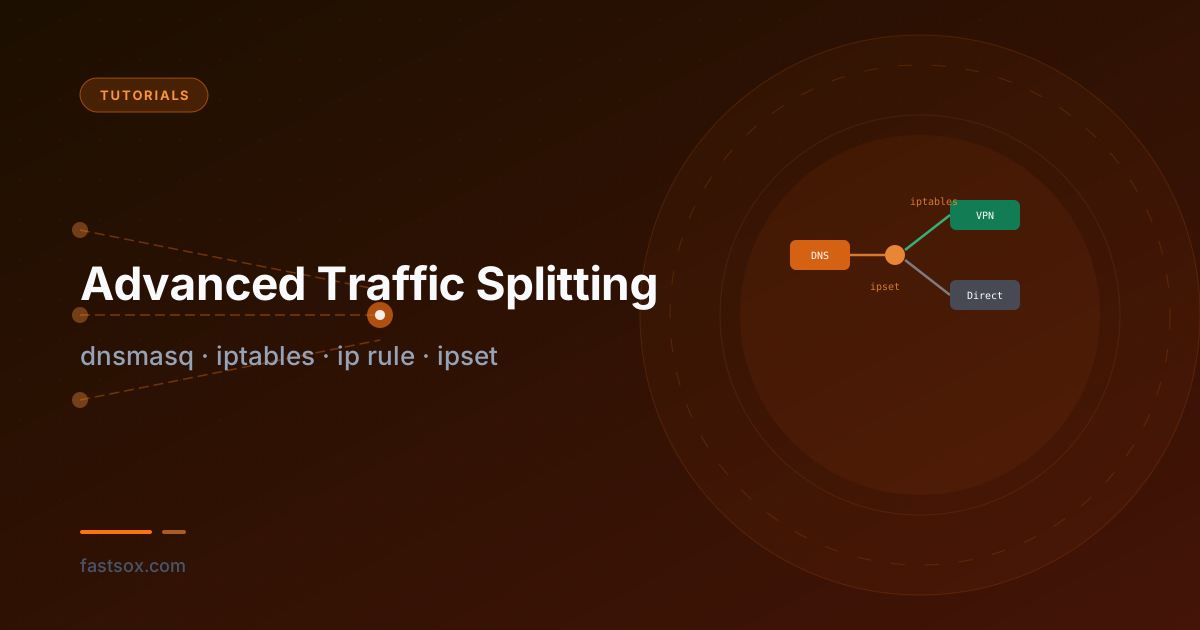
Advanced Traffic Splitting: dnsmasq, iptables, ip rule, and ipset
A technical deep-dive into domain-based split tunneling on Linux — no custom kernel modules, no userspace proxies. Route specific domains through a VPN while keeping everything else direct, using dnsmasq, ipset, iptables marks, and policy-based routing.